

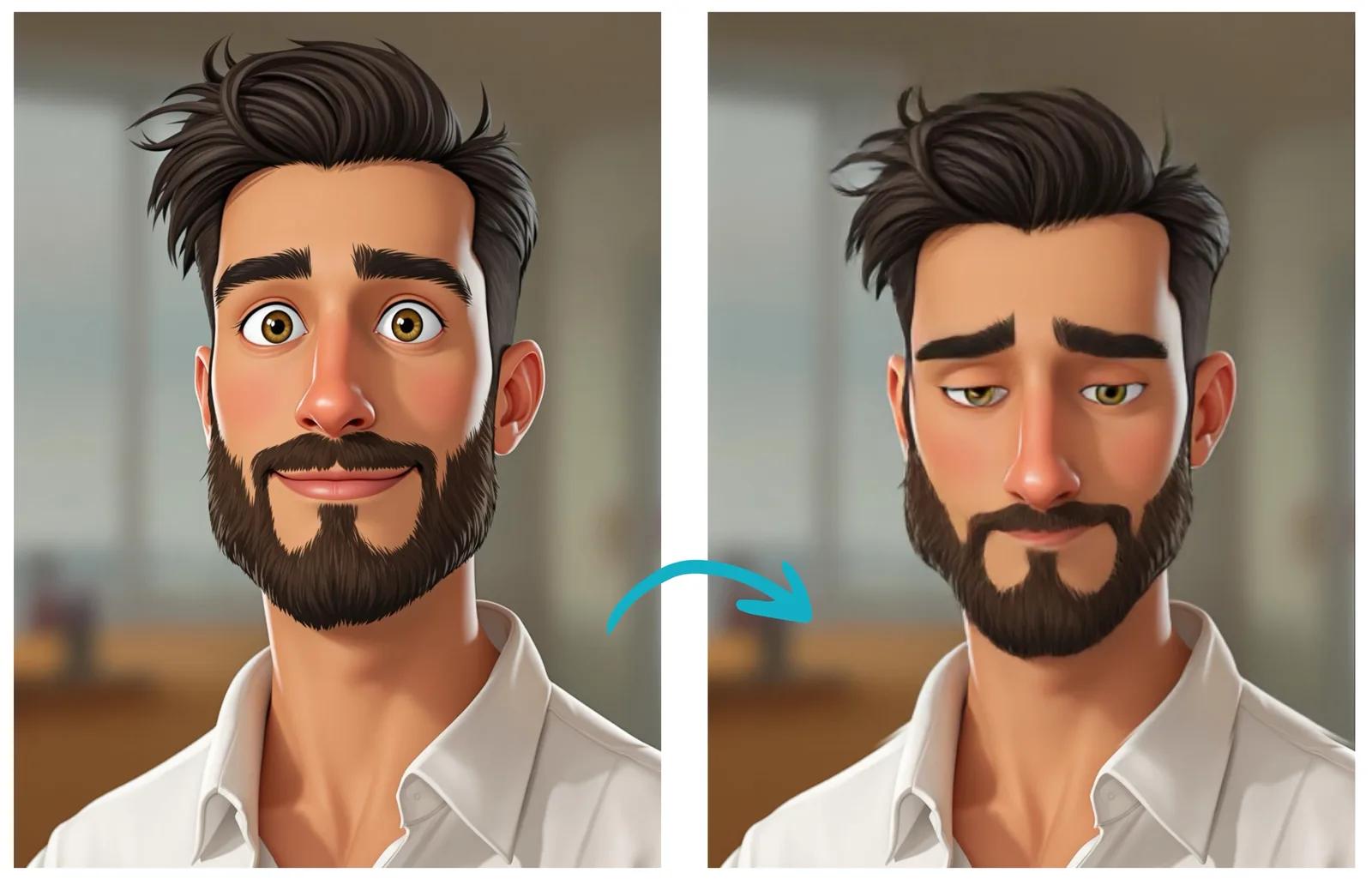
A convincing sad expression can make characters more relatable and emotionally engaging. Whether you're an artist, animator, or using AI tools for character creation, understanding the key elements of a sad expression is crucial for authentic emotional portrayal.
Key Features of a Sad Expression
Eyes and Eyebrows
- Eyebrows: Inner corners raised and drawn together
- Upper eyelids: Slightly drooped
- Lower eyelids: Raised slightly
- Eye moisture: Increased shine or tears
- Eye focus: Often downward or unfocused
Mouth and Lips
- Corners of mouth: Turned downward
- Lower lip: May protrude slightly or quiver
- Overall mouth shape: Curved downward in an inverted U-shape
- Lip tension: Relaxed or slightly trembling
Facial Muscles
- Nasolabial folds: Deepened
- Chin: Slight muscle tension, may appear wrinkled
- Forehead: Subtle vertical wrinkles between eyebrows
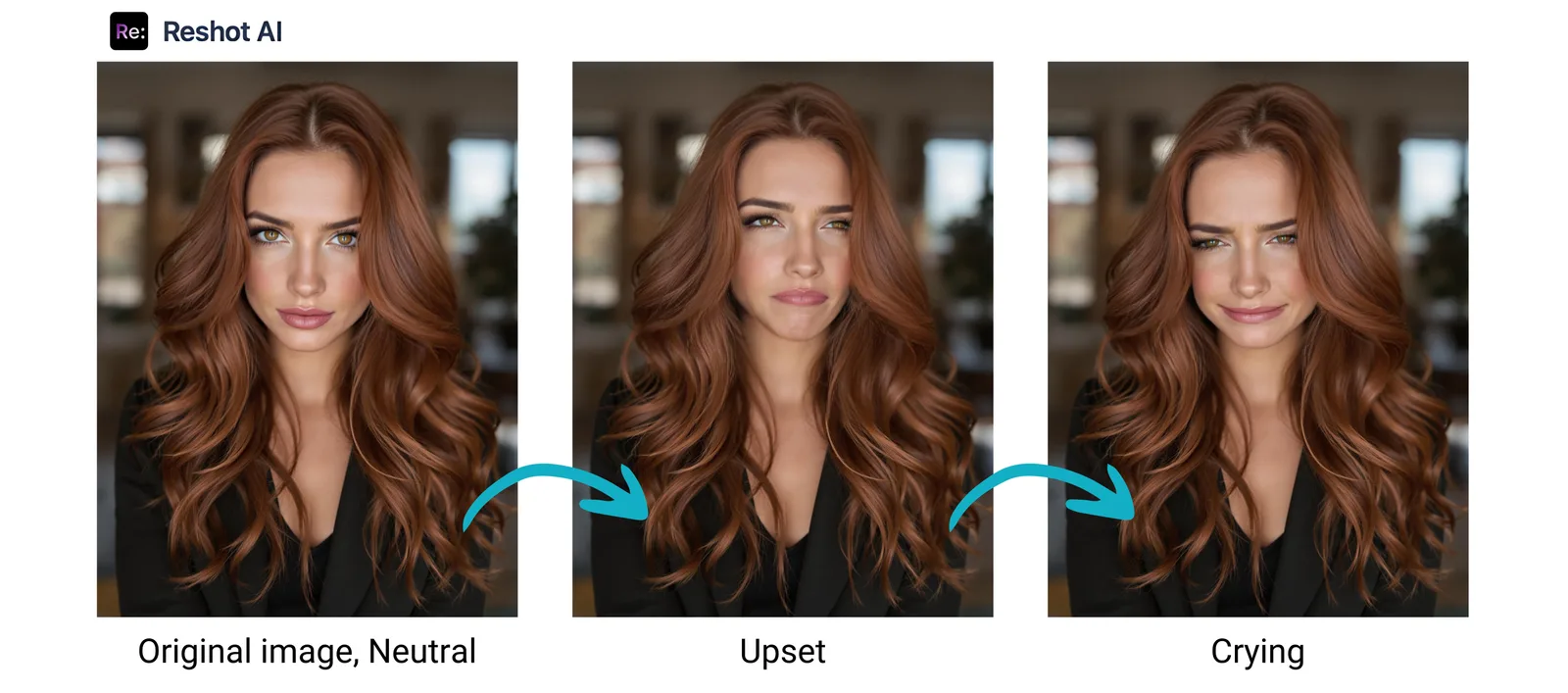
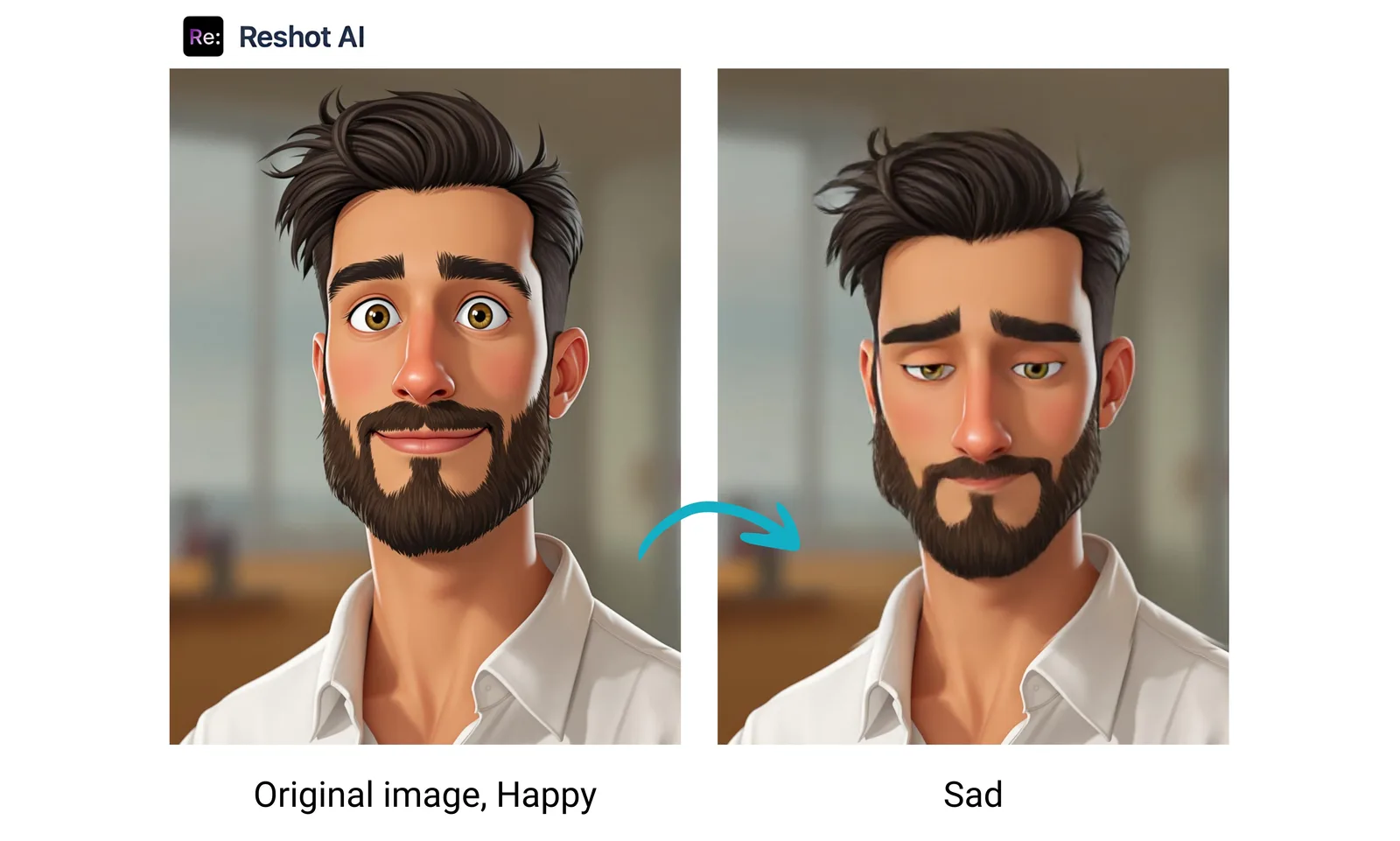
Implementing Sad Expressions in AI Tools
Modern AI-powered tools like RESHOT AI make it easier than ever to create and animate sad expressions. Here's how to optimize your results:
- Reference Images: Provide clear, high-quality reference images
- Key Points: Mark important facial features accurately
- Intensity Control: Adjust the expression's intensity for different emotional levels
- Timeline Management: Create smooth transitions between neutral and sad states
The tool used to create different face expressions in the following images is the RESHOT AI IMAGE EDITOR TOOL.
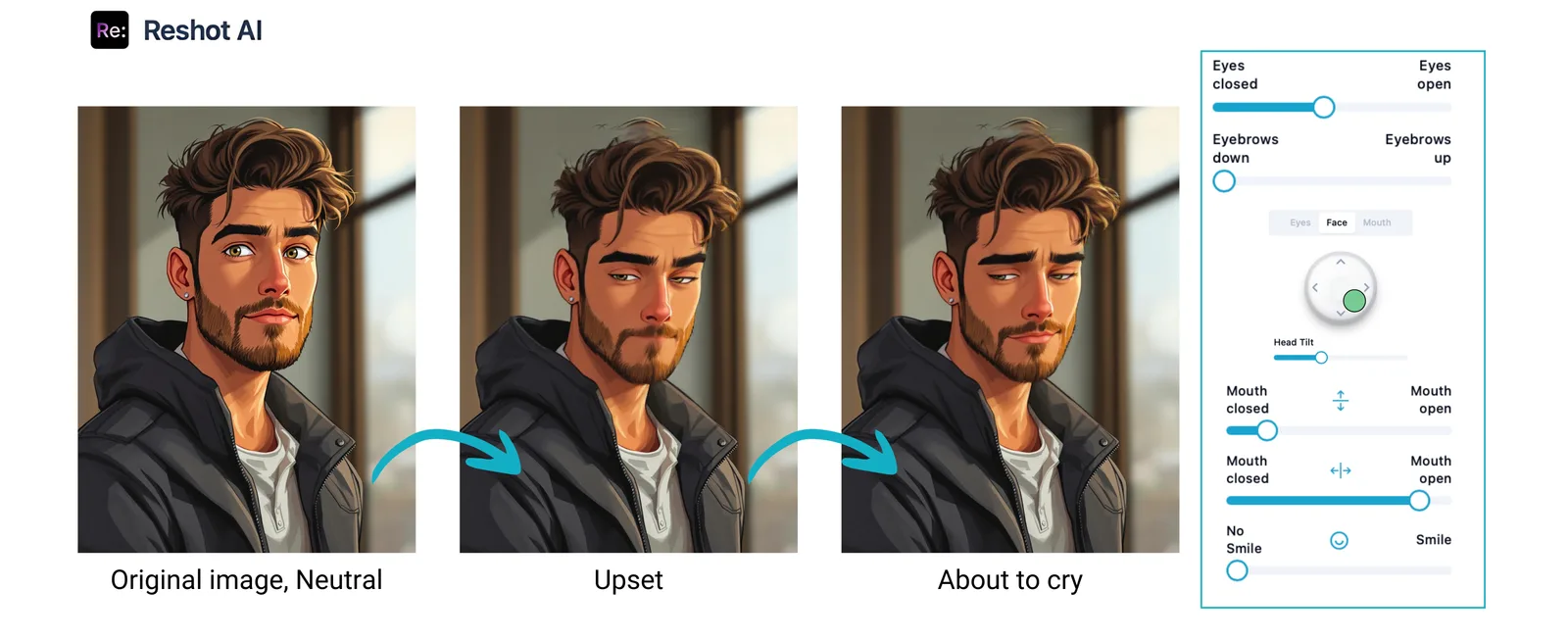
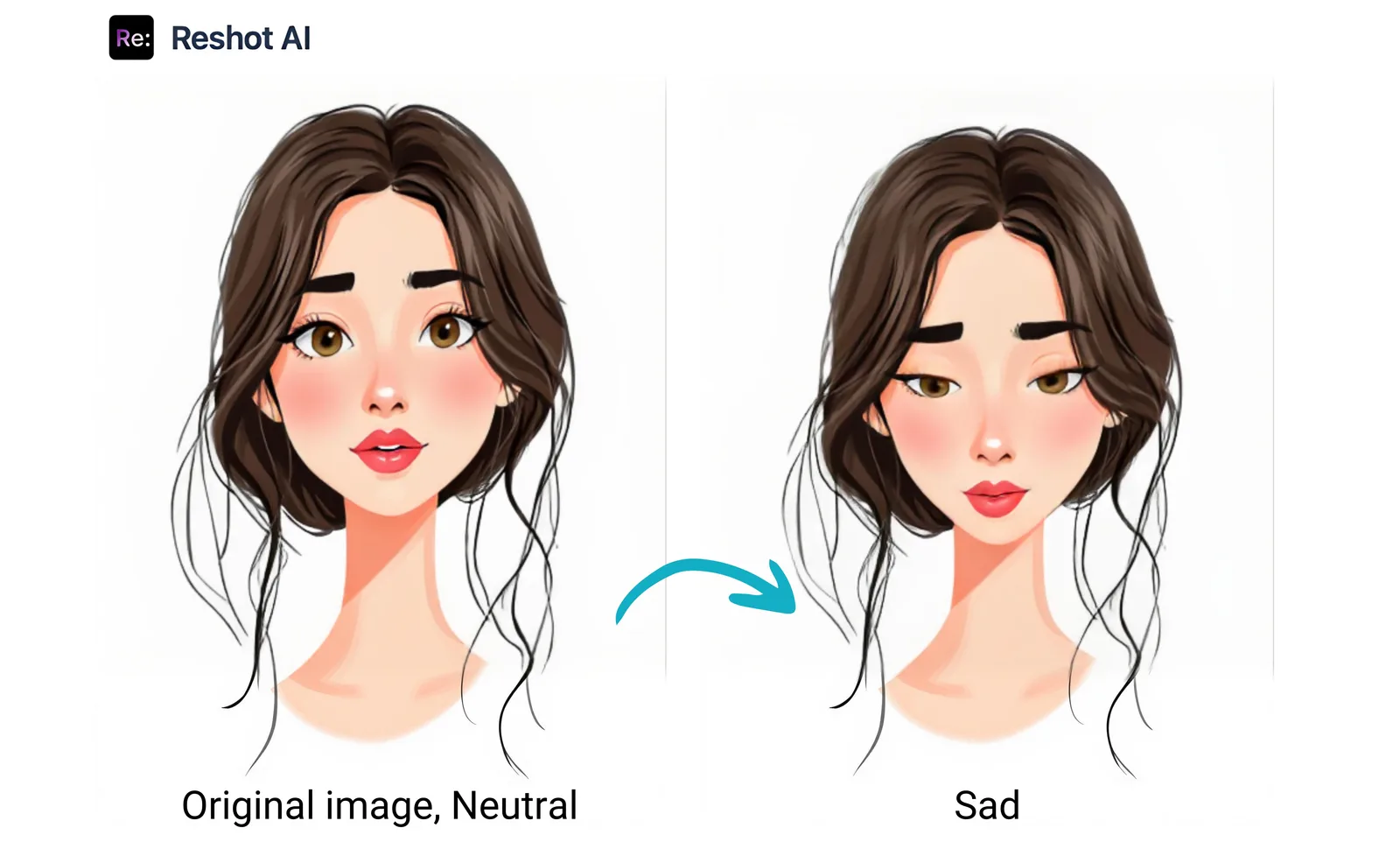
Creating Sad Expressions in Different Styles
Realistic Style
- Include subtle muscle movements around the eyes
- Add appropriate shadowing under the eyebrows
- Show slight puffiness around eyes if crying
- Incorporate skin wrinkles and creases naturally
Cartoon/Anime Style
- Exaggerate eyebrow angles
- Use larger, rounder eyes with optional tears
- Emphasize the downturned mouth
- Simplify facial lines while maintaining key features
Minimalist Style
- Focus on essential lines
- Use simple curves for eyebrows and mouth
- Minimize details while maximizing impact
Tips for Animation
Timing and Progression
- Start with subtle changes
- Build up to full expression gradually
- Consider the emotional intensity
- Use appropriate timing for tears if included
Secondary Elements
- Head position: Usually tilted down
- Shoulder posture: Slightly hunched
- Body language: Closed or protective poses
- Movement speed: Generally slower
Using AI Tools for Sad Expressions
Best Practices
-
Start with a neutral expression
-
Adjust key facial features systematically
-
Fine-tune muscle movements
-
Test different intensities
-
Maintain facial harmony
Creating Character Sheets
Essential Views
-
Front view: Main sad expression
-
Three-quarter view: Shows depth
-
Profile view: Side detail
-
Expression variations:
-
Mild sadness
-
Deep sorrow
-
Crying
-
Recovery phase
Applications and Use Cases
Storytelling
- Character development
- Emotional scene building
- Narrative progression
- Audience engagement
Animation Projects
- 2D animation
- 3D modeling
- Stop motion
- Motion graphics
Character Design
- Game development
- Comic creation
- Illustration
- Concept art
Conclusion
Creating convincing sad expressions requires understanding facial anatomy, emotional psychology, and artistic techniques. Whether using traditional methods or AI-powered tools, focus on natural muscle movements and maintaining consistency across different views and styles. Remember that subtle details often make the biggest impact in conveying genuine emotion.

Article by
Natalie Bolonina
Graduated from the ESSEC Business School, Natalie is a marketing expert specializing in tech.
Related Articles
Anime Drawings: Creating and Enhancing Your Artwork with AI Technology
Discover how to perfect your anime drawings with cutting-edge AI technology. Learn essential techniques for creating expressive anime characters and explore how AI tools can transform your artwork by instantly modifying character expressions from happy to sad, surprised, and beyond. Whether you're a beginner or experienced artist, unlock new possibilities in your anime art creation journey.
How to Open Closed Eyes in Photos Online for Free - Easy Fix with Reshot AI
Learn how to open closed eyes in photos online for free using Reshot AI. Transform your ruined photos instantly with our advanced AI photo editing tool.
Fake Smile Meme: Create Your Own Version with AI Photo Editing
Discover the viral fake smile meme and learn how to create personalized versions using Reshot AI. Transform any photo into a hilarious fake smile meme in seconds!
Facial Expression Reference Guide: Master Emotions with AI
Discover how to use facial expression reference to enhance your images and create authentic emotions. Learn how AI tools can help you perfect facial expressions in photos and animations.