
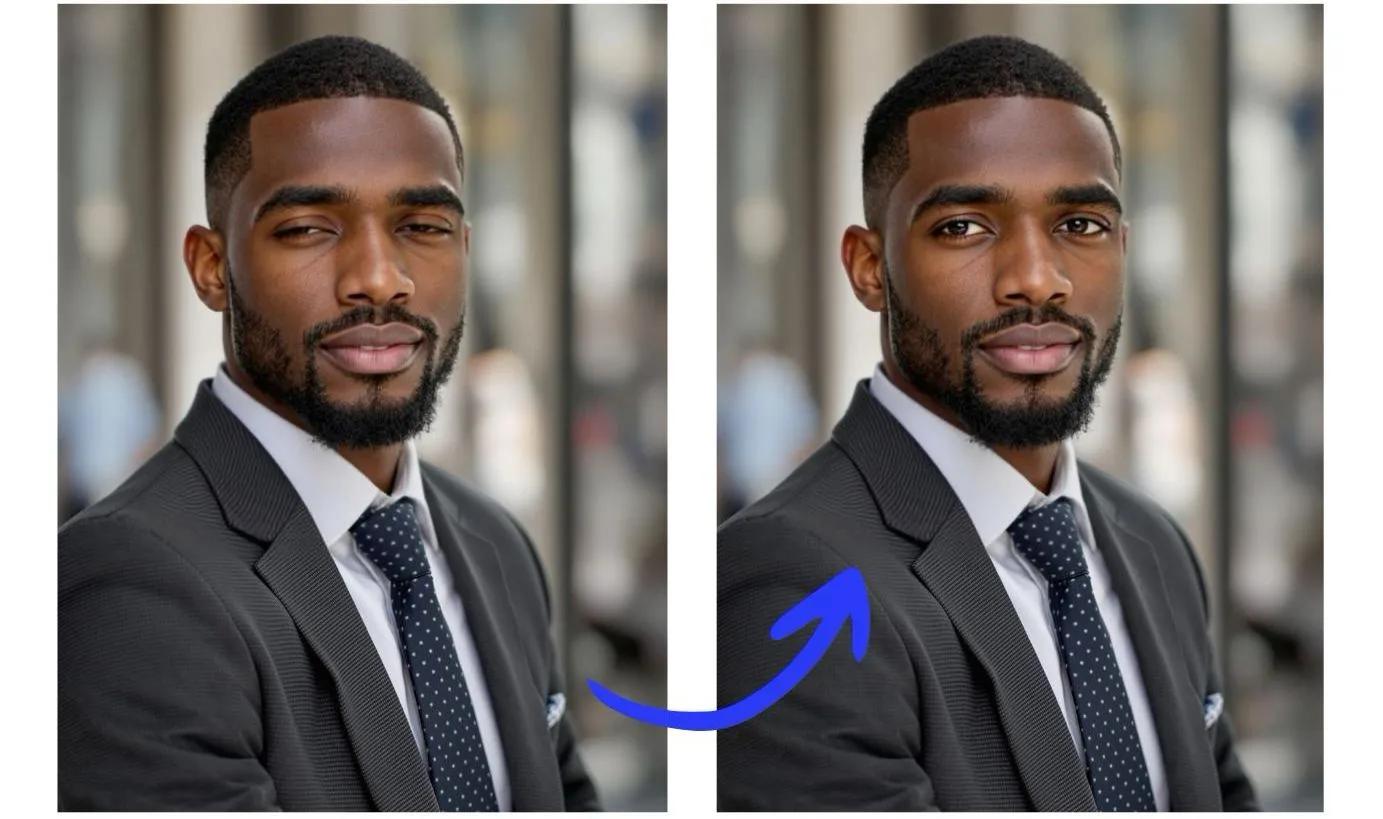
Have you ever taken what could have been a perfect photo, only to find someone's eyes closed? Don't let blinking ruin your precious memories! In this guide, we'll show you how to open closed eyes in photos online for free using Reshot AI's powerful photo editing tool.
Why Do We Need to Open Closed Eyes in Photos?
Closed eyes in photos are a common problem that can spoil otherwise perfect moments:
- Group photos where someone blinks
- Important event photos with closed eyes
- Professional photoshoots with unexpected blinks
- Family portraits with eyes closed
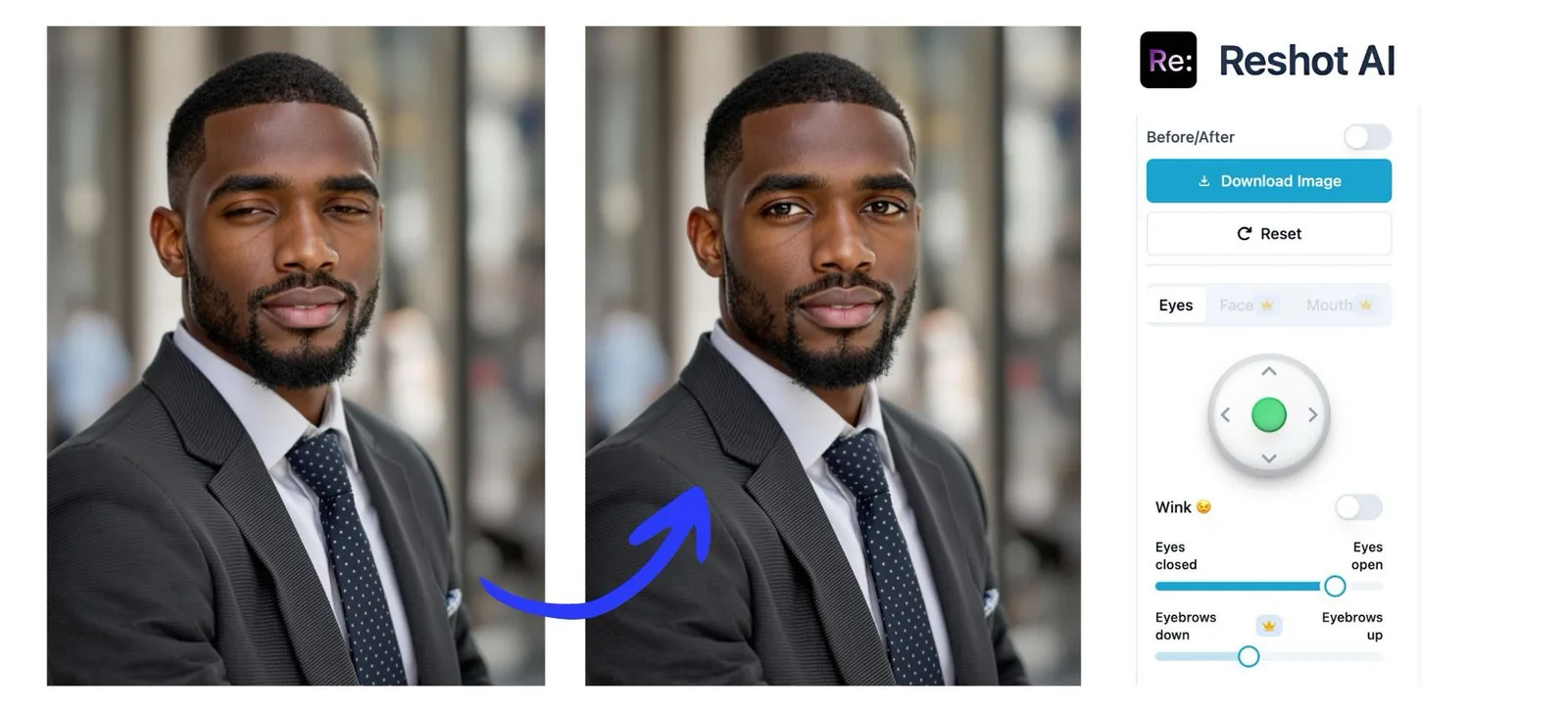
Open Eyes in Photos Online Free with Reshot AI
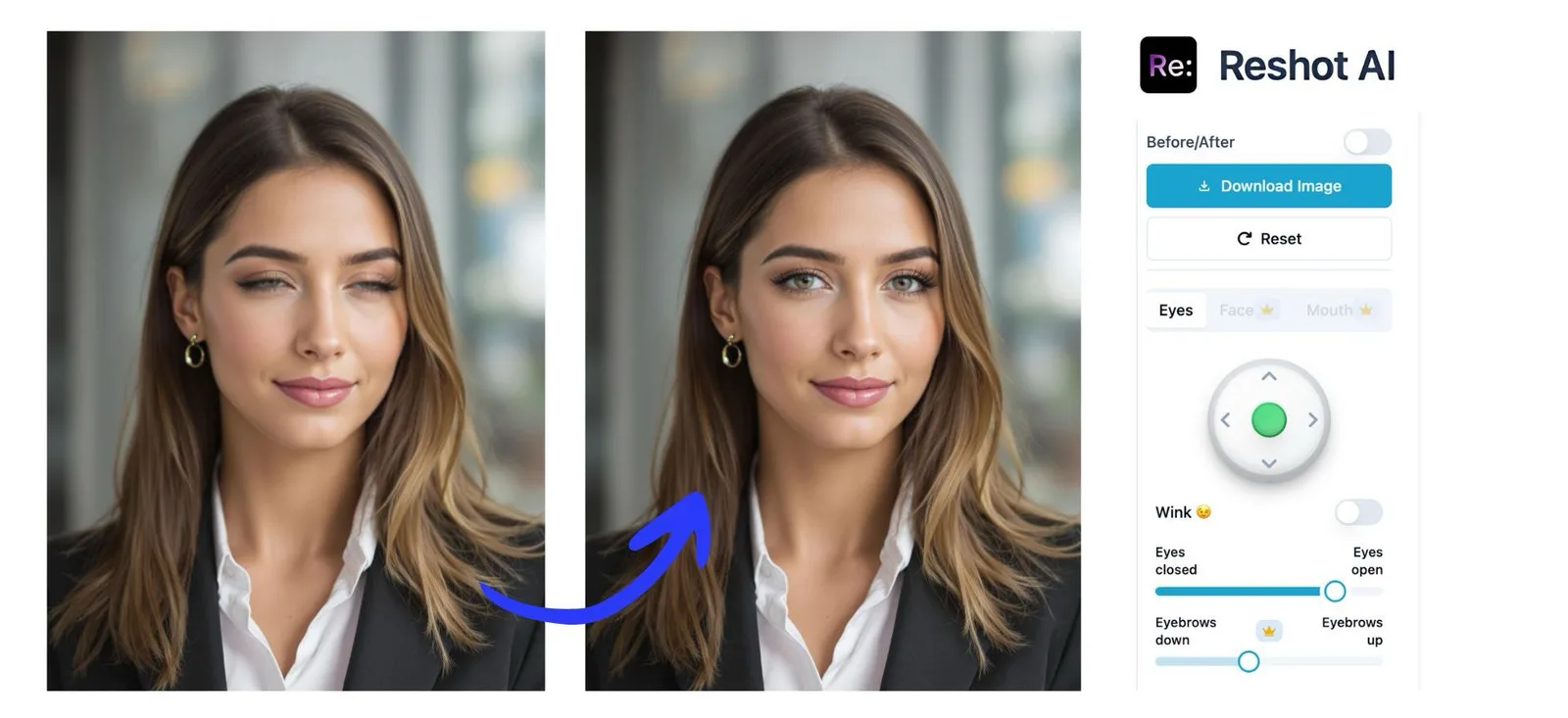
Reshot AI offers a free solution to fix closed eyes in your photos. Our advanced artificial intelligence technology can naturally open closed eyes while maintaining the person's authentic appearance TRY NOW
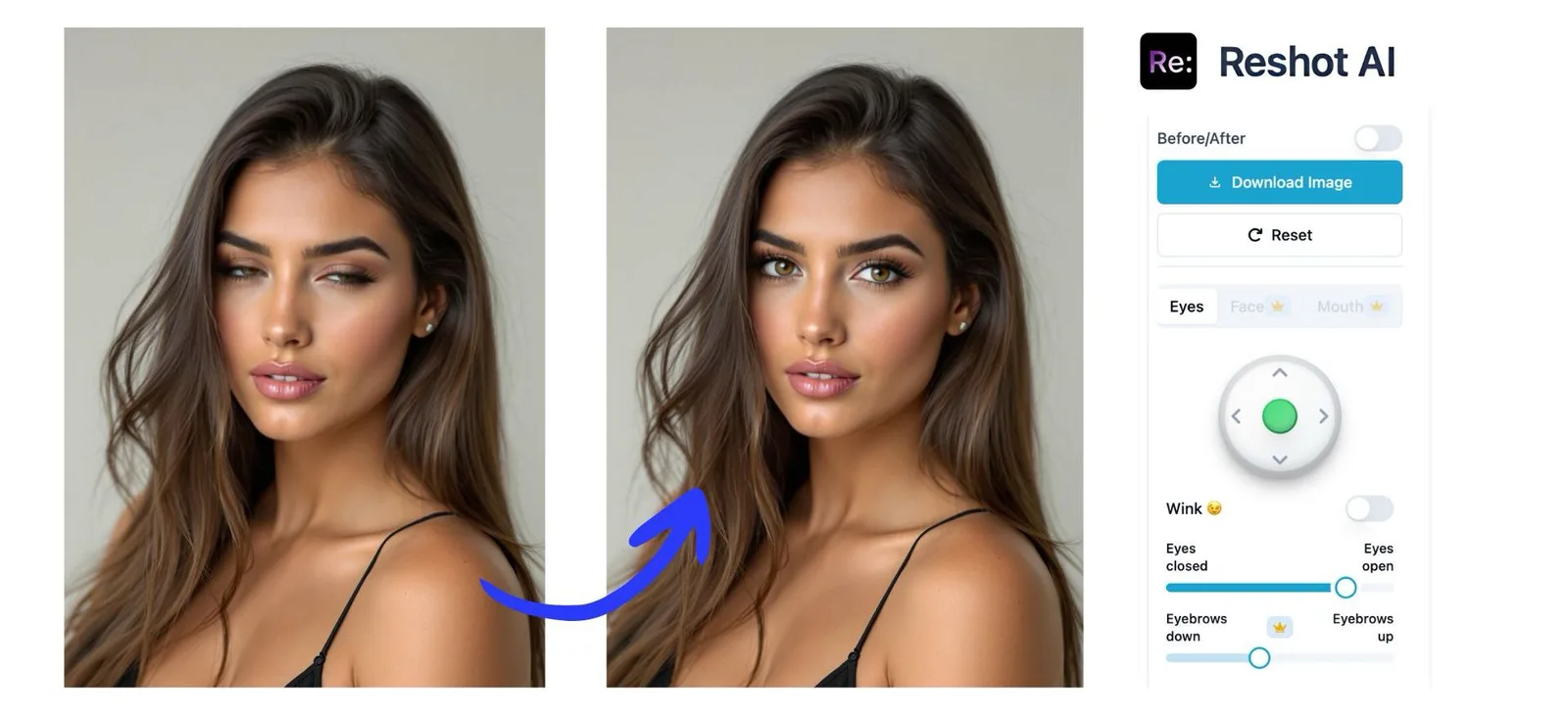
Follow these simple steps to open closed eyes in your photos:
Click here to open the editing studio
- Upload Your Photo
- Click the upload button on the main screen
- Select the photo you want to edit
- Access the Settings Panel
- Look for the settings panel on the right side of your screen
- Find the eye adjustment controls
- Adjust Eye Direction
- Locate the green joystick control
- Drag the joystick in any direction to change where the eyes look
- Fine-tune the eye direction until it looks natural
- Open the Eyes
- Find the "Eyes Closed - Eyes Open" slider
- Drag the slider to the right to open the eyes
- Move it left to close the eyes if needed
- Adjust until you achieve the desired natural look
- Try Special Effects (Optional)
- Experiment with the "Wink" feature for a playful expression
- Perfect for creating fun, engaging photos
- Review Your Changes
- Click the "Before/After" button at the top of the screen
- Compare your original and edited photos
- Make additional adjustments if needed
- Save Your Work
- Click the download button
- Save your edited photo to your device
Additional Features of Reshot AI
While you can open eyes in photos for free, Reshot AI offers even more powerful features with a subscription:
- Adjust facial expressions
- Modify smiles
- Change eyebrow positions
- Enhance overall facial features
- Create natural-looking results
Tips for Best Results When Opening Eyes in Photos
- Use high-quality original photos
- Ensure the face is clearly visible
- Keep the image well-lit
- Use front-facing photos for optimal results
Why Choose Reshot AI for Opening Eyes in Photos?
- Free basic eye-opening feature
- User-friendly interface
- Quick and instant results
- No technical skills required
- Advanced AI technology
- Natural-looking outcomes
Conclusion
Don't let closed eyes ruin your perfect photos anymore. Try Reshot AI's free online tool to open closed eyes and transform your photos instantly. For even more advanced editing options, explore our subscription features to enhance your photos further.
Ready to fix those closed eyes in your photos? Try our free online tool now and see the difference for yourself!
Article by
Natalie Bolonina
Graduated from the ESSEC Business School, Natalie is a marketing expert specializing in tech.
Related Articles
Anime Drawings: Creating and Enhancing Your Artwork with AI Technology
Discover how to perfect your anime drawings with cutting-edge AI technology. Learn essential techniques for creating expressive anime characters and explore how AI tools can transform your artwork by instantly modifying character expressions from happy to sad, surprised, and beyond. Whether you're a beginner or experienced artist, unlock new possibilities in your anime art creation journey.
Fake Smile Meme: Create Your Own Version with AI Photo Editing
Discover the viral fake smile meme and learn how to create personalized versions using Reshot AI. Transform any photo into a hilarious fake smile meme in seconds!
Facial Expression Reference Guide: Master Emotions with AI
Discover how to use facial expression reference to enhance your images and create authentic emotions. Learn how AI tools can help you perfect facial expressions in photos and animations.
Sad Expression Guide: How to Create Convincing Emotional Faces in Art and Animation
Master the art of creating sad expressions in character design. Learn the key facial features, muscle movements, and techniques used in animation and AI-powered tools to convey sadness effectively.